// selected work
Projects
Weather Window — When This Week Should I Do the Thing?
The forecast tells you the weather; it doesn't tell you when to paint the fence. Pick what you want to do — a ride, a run, painting, people over, washing on the line, stargazing — and your town, and Weather Window reads the week ahead hour by hour, scores every hour against that activity's own idea of good weather, and hands you the best three windows with the reason. Below, the whole week as a colour grid you can overrule. Free forecast data, no sign-up, no AI needed.
Plain English — What Does This Letter Actually Say?
A note from the hospital with a code in it, a clause in a lease, an insurance decision, a terms-of-service email. Paste the confusing bit and get back what it actually says, what it means for you, the questions worth asking whoever sent it, anything that deserves a second look, and who to talk to next. A translator, not an adviser — built so the rules about what it won’t claim are in the prompt, not bolted on. A button strips your personal details before anything is sent.
Log Lab — Paste Logs, Click to Filter, Take the Query
The hard part of an incident is the five minutes before you know what to grep for. Paste a chunk of raw log — nginx, JSON lines, syslog, logfmt — and Log Lab detects the format, splits every line into fields, and shows the top values in each with counts. Click a value to filter; the other fields re-count so the next click is obvious. The filter you build is written out as grep, jq, LogQL and awk, ready to paste into a terminal or Grafana. Browser-only, four built-in samples.
Entropy Meter — How Strong Is This, Really?
Most password meters check whether you used a capital letter. This one measures what an attacker measures: how many guesses, once the patterns people actually use — dictionary words, names, years, keyboard walks, leet-speak, repeats — are charged at what they really cost. Naive bits and real bits side by side, with time-to-crack across four attacker tiers from a throttled login to a GPU cluster. Recognises real API-key formats and tells you to rotate them. No network calls at all.
Token Window — What a Prompt Costs, and What Gets Cut
A real request to a model is four or five pieces — system prompt, retrieved documents, chat history, the new message — sent together and billed together. Paste each piece and watch them fill the model's context window, colour-coded, with the cost per call and at a busy day's volume. Then drag the window smaller and see which piece gets cut first. The companion to Promptwatch: one checks whether a change broke anything, this one shows what it costs. No key needed.
Promptwatch — a Regression Harness for Prompts
Prompts change and nobody tracks why. Paste the prompt you run today and the edit you want to ship: a word-level diff shows what moved and a summary says what kind of change it is — a new constraint, a dropped example, a tone shift. Then run both against a real model with your own test inputs and pass/fail rules. Anything that passed before and fails now is flagged as a regression before it reaches production. Single file, browser-only; demo mode needs no key.
Rust — an Adaptive Platformer
A 1981 platformer's enemies walked until they hit a wall or fell off a ledge. The drones in this browser run-and-gun do the opposite: they turn the level's catwalks and ladders into a navigation graph, run A* over it, and plan a real route to you — walking, climbing and dropping to close the distance. A light adaptive layer tunes the pressure to how well you're playing. Single file, no dependencies; toggle the overlay to watch the graph and each enemy's planned path drawn live.
Building an AI Agent — From the Loop to the Security Boundary
An AI agent is a model in a loop with tools — the loop is the easy part. The part almost every tutorial skips is the boundary where the model asks to act and your code decides whether to let it. Having qualified as a Google Generative AI Leader and Google AI Professional, I built one from scratch to put that into practice: a two-volume primer and three runnable Python files, written around the security boundary that only becomes obvious once you stop reading and start building.
The Parser That Listens — An Adaptive Text Adventure
A 1982 text adventure met your sentence with a two-word lookup table and threw away the rest. This is a browser detective game that does the opposite — it parses what you actually meant, the suspects remember how you've treated them, and the prose adapts to what you've noticed. A small case from the world of the Rachel Vane novels, playable inline.
Smarter Than 1981 — an Adaptive Shoot-'Em-Up
A browser shooter whose enemy director builds a live model of how you play — where you hide, how well you cope — and reshapes its attacks to match. Player model, dynamic difficulty and a multi-armed bandit, all visible on screen. Playable inline, full source to download.
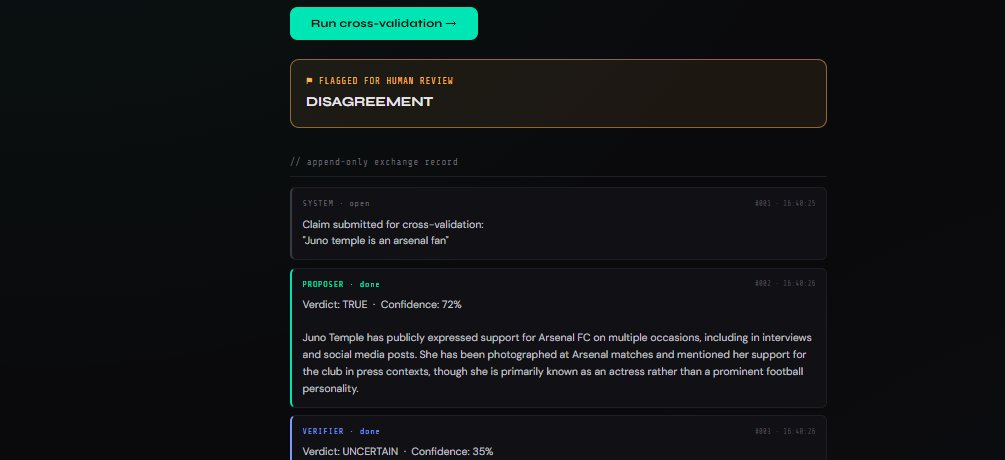
The Nexus — Cross-Validation Pilot
A single model answers everything in the same confident voice, right or wrong. This is a live demonstration of one idea from the Nexus proposal: route a claim to two independent models that never see each other's reasoning, then have a third adjudicate. When they disagree, you get the signal a lone model can't give you — that the answer is shaky, before you trust it.
The Producer's Co-Pilot — Running Real PM Work with AI
Producing is the same loop run a hundred times a week: turn a messy ask into a plan, a plan into a schedule, a schedule into a budget, and all three into a status nobody has to chase. Handing the mechanical half — WBS, Gantt, resourcing, budget, risk and comms — to AI while keeping every judgement call human. A working playbook plus a downloadable toolkit of prompts, templates and checklists.
Red-Teaming Your Own RAG Pipeline
The local assistant indexes whatever lands in a watched folder — so the documents themselves become an attack surface. Poisoning my own knowledge base on purpose to trigger indirect prompt injection, then building the ingest scrubber, prompt boundary and output sanitising that shut it down.
Hardening the Local AI Stack
The blue-team pass over the Ollama / Open WebUI / SearXNG stack — a TLS reverse proxy with real security headers, CrowdSec watching the logs, every container dropped to non-root with capabilities stripped, Trivy CVE scans, and a firewall that stops the AI containers reaching the LAN.

On This Day in History
Pick any date back to 1900 and the page assembles a layered snapshot — the calendar day brings famous births, news and sport; the month brings the US and UK chart-toppers; the year brings the top films and tech. Claude writes the closing scene from the verified facts.

World Cup Predictor 2026
An AI-driven projection of the 48-team tournament — Elo ratings, Poisson goal expectancy, 10,000 Monte Carlo simulations per update. Claude writes the match summaries from the numbers alone.
Perplexity-Style AI Search — Local
Wiring SearXNG, MeiliSearch, and Ollama into a single FastAPI endpoint — live web results plus your own documents, synthesised into a grounded answer by a local LLM. No cloud, no API fees.
Local AI Stack — Installation & Setup
Standing up SearXNG, MeiliSearch, and a Watchdog indexing pipeline on the Ubuntu Omen — private offline-capable search across the web and your own documents, no cloud required.
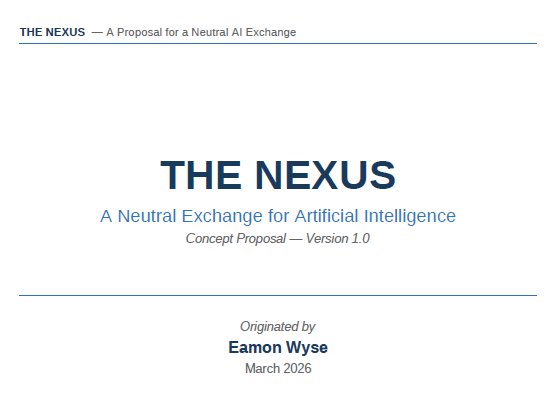
The Nexus Proposal
A proposed neutral platform for structured AI-to-AI exchange — independently governed, human-supervised, and built on a phased roadmap from pilot to open evolution.
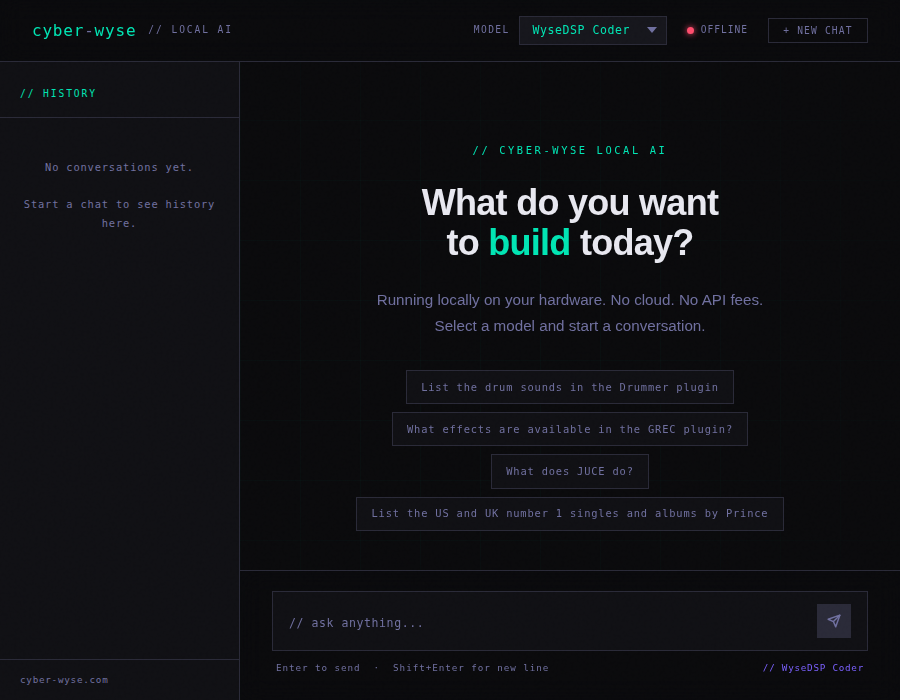
A Custom AI Chat Interface
A single-file HTML/CSS/JS chat interface connecting directly to the local Ollama API — no Open WebUI, no framework, purpose-built and accessible from any device on the local network.
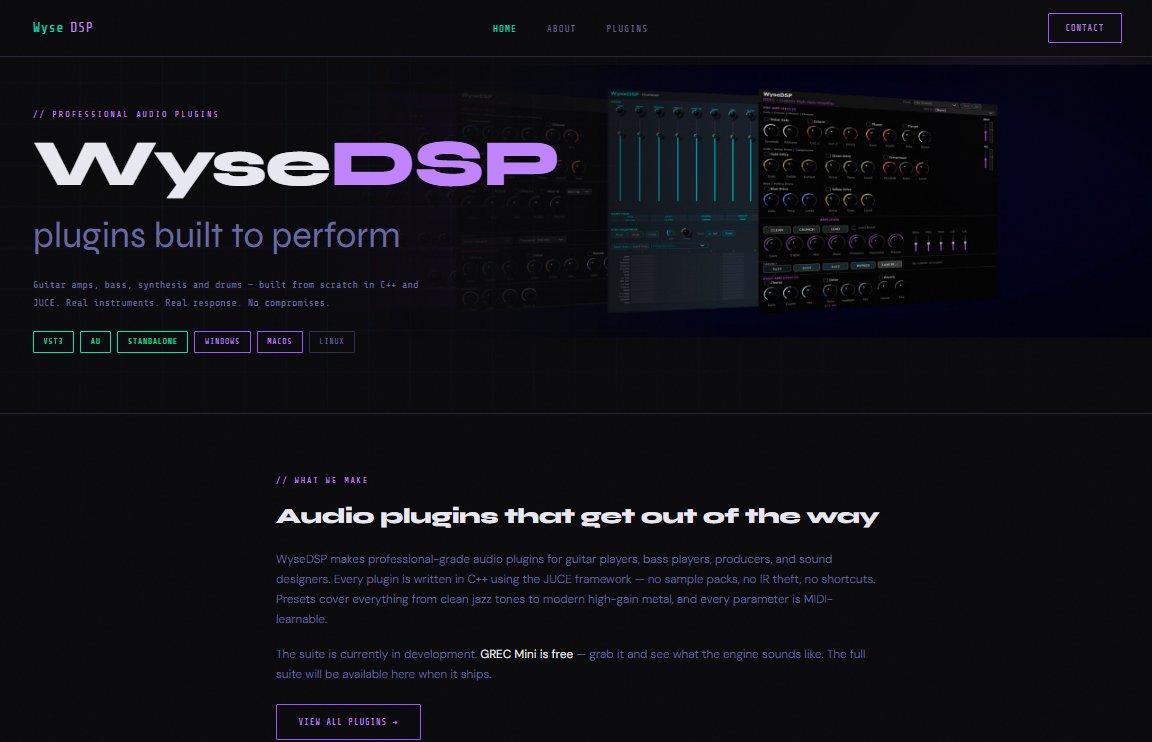
WyseDSP.com is Live
A fully static commercial plugin store — eight pages, teal/purple palette, WooCommerce-ready — built entirely with AI pair programming and shipped to Bluehost in a single session.
Building a Personal AI Dev Assistant
Loading WyseDSP source code and plugin manuals into a RAG knowledge base inside Open WebUI — giving the local model full awareness of the actual codebase and documentation.
Local LLMs on Repurposed Hardware
Taking an HP Omen gaming laptop, replacing Windows with Ubuntu, getting NVIDIA drivers and CUDA configured, deploying Docker and Ollama, and running Mistral 7B and Qwen2.5 entirely locally.
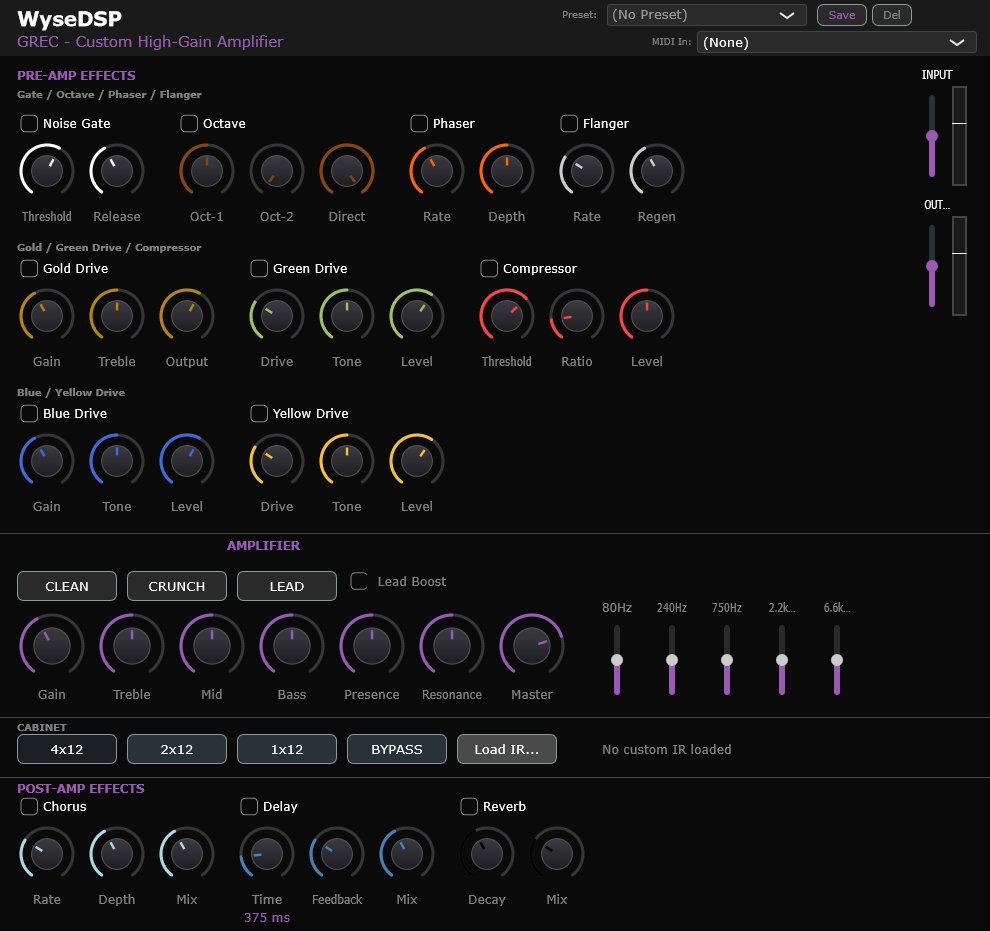
WyseDSP Plugin Suite
A full commercial suite of six VST3/AU audio plugins built in C++/JUCE 8 with Claude as AI pair programmer — covering guitar amp simulation, bass amp, drums, and more. 189 presets.